

Hello,
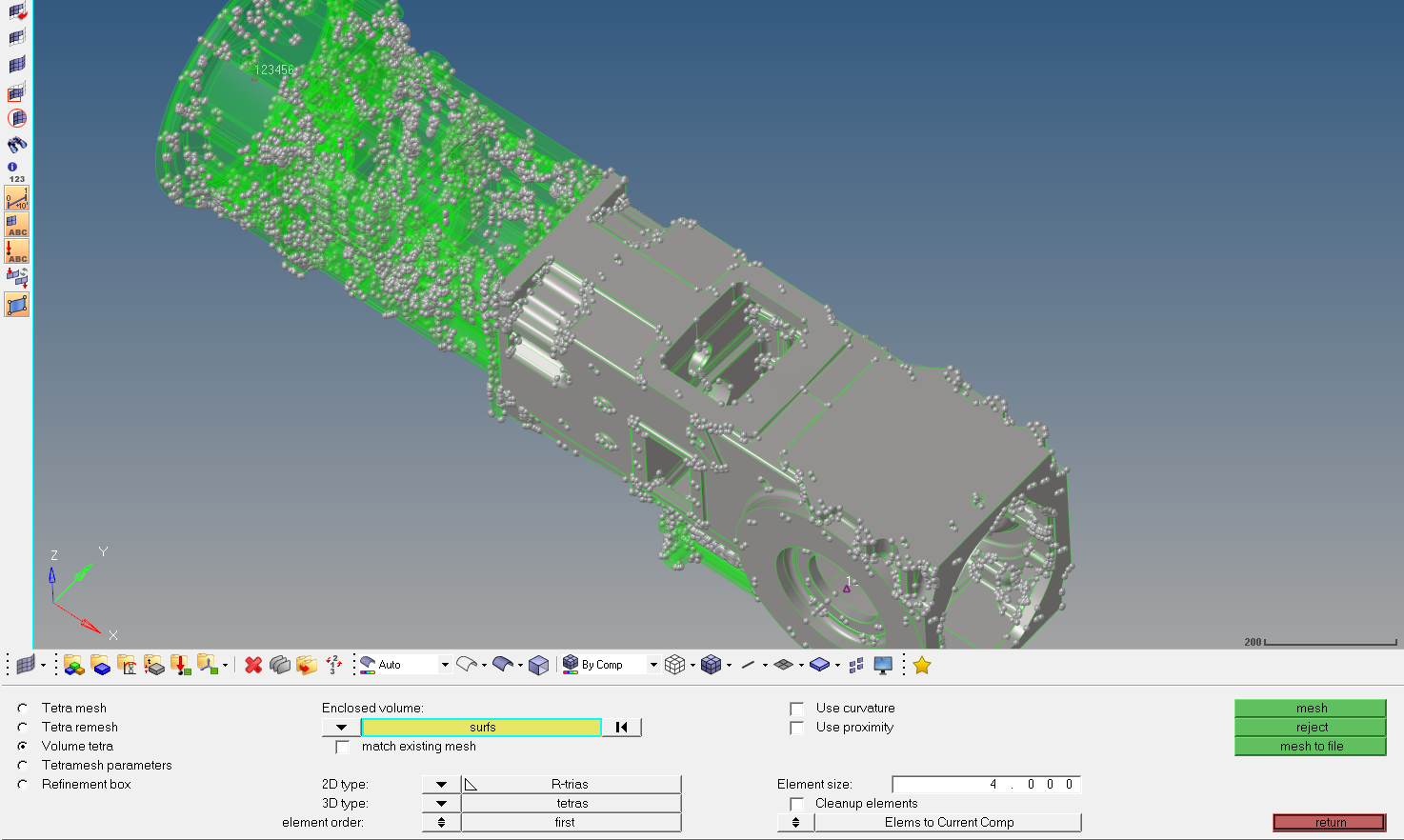
I'm adding mesh to a few body parts. It does not allow me to add mesh to a piece as in the screenshot. The behind part looks grey colour and i can't click and can't mesh this body. What is the reason? I'm waiting for your help. Thank you.
I'm using Hypermesh 2017.3 and CATIA V5R22.

When a surface appears grey like that when trying to volume mesh, it's because it's not enclosed. You've got quite a lot of fixed points showing which is cluttering you view so there's probably a red line where your surface is disconnected. I believe you can hide these points by going to the Geometry tab->Unsplit->Points then select all the points. This might only be functional in the new version of hypermesh though.
Once you find the hole in your surface, you can equivalence the edge if it's small enough or fill it with a surface.